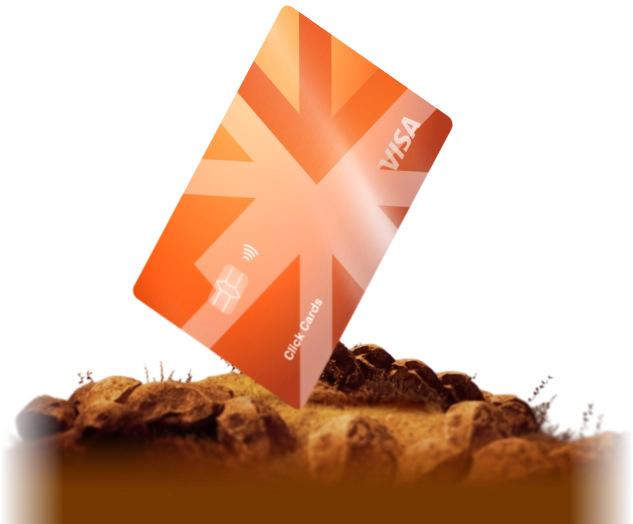
Virtual Card for Google Ads

Pay for Google Ads — Search, YouTube and Performance Max campaigns — with a virtual Visa or Mastercard (VCC) you top up with crypto. One card per account, unlimited cards and full control over spend.

  • 1 Add the card in Google Ads billing like any Visa or Mastercard
  • 2 Unlimited virtual cards — a separate card for every Google Ads account or client
  • 3 15+ BINs selected for ad platforms, 3DS and non-3DS cards
  • 4 0% fee on crypto deposits, card top-up fee from 3.5%, from $2 per card
media
Google

How to add a virtual card to Google Ads

  1. 1

    Issue a Media Card

    Register, fund your balance with USDT or another supported cryptocurrency at 0% fee and issue a Media Card for your Google Ads account.

  2. 2

    Open billing in Google Ads

    In your Google Ads account open Billing, go to Payment methods and click Add payment method.

  3. 3

    Add the card

    Enter the card number, expiry date and CVV from the card details in CLK Cards together with the billing address shown there. Keep the card topped up before each charge.

Why advertisers choose CLK Cards for Google Ads

Cards, money and team in one place

One card per account

Run each Google Ads account or client on its own card. Charges are easy to match, and freezing one card leaves the others running.

Automatic payments under control

Google Ads charges your card when you reach your payment threshold or 30 days after the last charge. Load only the budget you plan to spend and top up when needed.

Team plans

Plans from $29 per month include 10 free cards monthly, plus roles and spend limits for every member of your team.

Who is it for?

Search and YouTube advertisers • PPC agencies and freelancers • Affiliate marketers • SaaS and e-commerce businesses

Pay for Google Ads with crypto

Fund your CLK Cards balance with USDT, USDC, BTC or ETH at 0% fee, move the budget to a virtual card and let Google Ads charge it. No bank account, no shared company card, and a clear view of what every account spends.

Frequently Asked Questions

Can I pay for Google Ads with a virtual card?

Yes. Google Ads accepts Visa and Mastercard cards as a payment method. Add your CLK Cards Media Card in Billing → Payment methods and Google Ads charges it like any other card.

Can I use a prepaid card for Google Ads?

CLK Cards are prepaid Visa and Mastercard cards that work like debit cards: you load money first, then Google Ads charges the card. Keep enough balance on the card for the next charge.

How many cards can I issue for Google Ads accounts?

There is no cap. A Media Card costs from $2 to issue plus $2 per month. Team plans include 10, 25 or 50 cards per month with no issuance fee and no monthly card fee.

Which campaigns can I pay for?

Every campaign billed to your Google Ads account — Search, Display, YouTube, Shopping and Performance Max — is paid from the card you add in billing.

Team plans for media buyers

One workspace for the whole team: a shared balance, roles, spend limits and cards issued in bulk. Creating a team is free.

  • Members and roles with flexible permissions
  • Invitations by link or email
  • Team balance and member balances with transfers between them
  • Spend limits for the team and for each member
  • Bulk card issuance, a card pool and assignment to members
  • Card freezing, shared history and a dashboard with spend by member
  • Free

    $0/ month
    Cards
    From $2 per card
    Plus $2 per card monthly. No card limit
    Card top-up fee
    5%
    Get started
  • Starter

    $29$59/ month
    Cards per month
    10
    Included in the price: no issuance fee and no monthly card fee
    Card top-up fee
    4.5%
    Get started
  • Pro

    Popular
    $79$129/ month
    Cards per month
    25
    Included in the price: no issuance fee and no monthly card fee
    Card top-up fee
    4%
    Get started
  • Scale

    $149$359/ month
    Cards per month
    50
    Included in the price: no issuance fee and no monthly card fee
    Card top-up fee
    3.75%
    Get started

In team plans the card top-up fee is 3.75–5% depending on the plan. Personal card rates do not apply to team cards.

Enterprise

Individual terms for large teams and high volumes. Tell us about your spend and we will put together an offer.

Cards per month
100+
Included in the price: no issuance fee and no monthly card fee
Contact us

Ready to start?
Issue your card in minutes

Join satisfied users already using CLK Cards for their digital payments and media buying needs.

Issue Virtual Card

Ask AI about CLK Cards

© 2026 CLK Cards. All rights reserved

KYC verification

To protect our users and comply with international standards, we carry out KYC (Know Your Customer) identity verification procedures. Verification keeps transactions secure and helps maintain regulatory compliance across our platform.

Facebook and the Facebook logo are trademarks of Meta Platforms, Inc., registered in the U.S. and other countries and regions. Google, Google Ads, and the Google logo are trademarks of Google LLC., registered in the U.S. and other countries and regions. TikTok is a trademark of TikTok Inc., registered in the U.S. and other countries and regions. CLK Cards solutions may not be available to all customers. Terms and conditions apply and are subject to change. Visa is a registered trademark of Visa U.S.A. Inc. Mastercard is a registered trademark, and the circles design is a trademark of Mastercard International Incorporated. All other trademarks and service marks belong to their respective owners.